See what is running. Understand what is working.
From campaign delivery to business outcomes.
EasyAd helps you follow what is being delivered, compare where results come from, measure actions after the ad interaction and share the data with the people who need it.
Follow delivery
Monitor impressions, spend, pacing, frequency and campaign status while the campaign is running.
Compare performance
Explore results across channels, placements, formats, devices and available campaign dimensions.
Measure outcomes
Connect conversion and revenue data to understand what happens after an ad interaction.
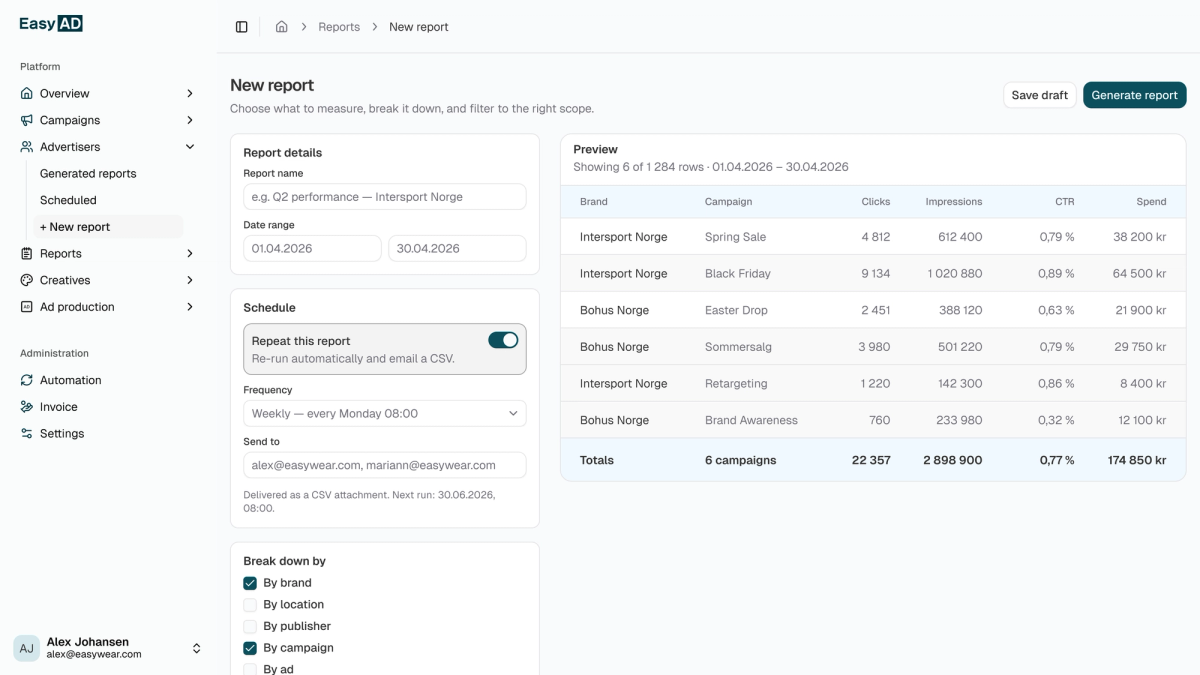
Report and export
Build reports around selected metrics, dimensions and time periods, then extract the data for further analysis.

One place to follow the whole campaign.
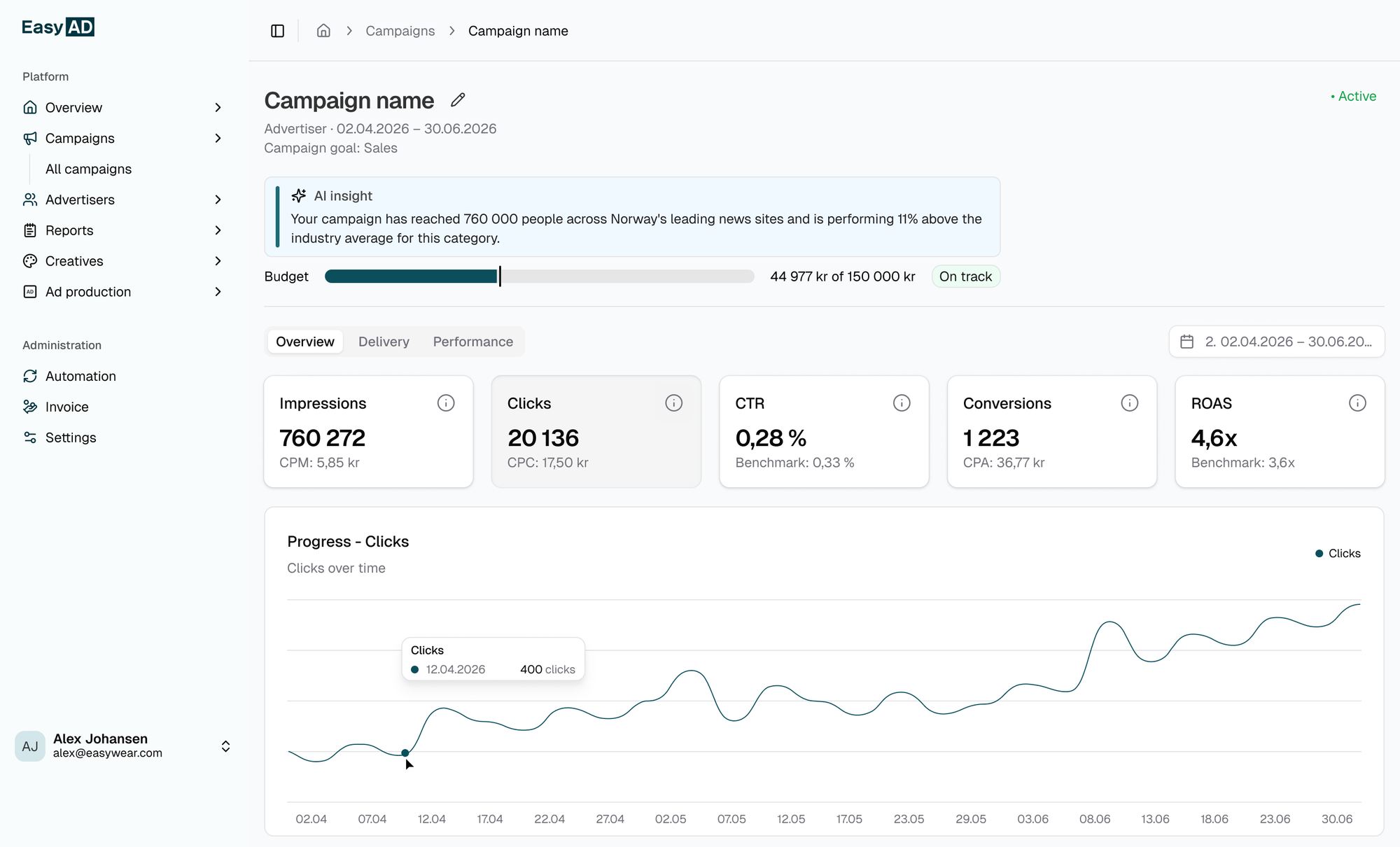
Campaign overview
Budget pacing
Channel comparison
Filters and time periods
Build the view you need. Take the data further.
Create reports using selected metrics, dimensions and time periods. Use them for campaign reviews, internal documentation or client reporting, and export the underlying data for further analysis in other reporting and business intelligence tools.
Select the metrics
Focus each report on the delivery, engagement, cost or outcome metrics relevant to the campaign.
Choose the dimensions
Break results down by channels, placements, formats and the other dimensions available in the setup.
Set the time period
Review a full campaign, compare selected periods or investigate a specific change in performance.
Export the data
Extract campaign information for further analysis, documentation or use in other reporting environments.